
Google Sheets and Excel · version 1.0
Expense Tracker
Where does the money go? Type each expense once.
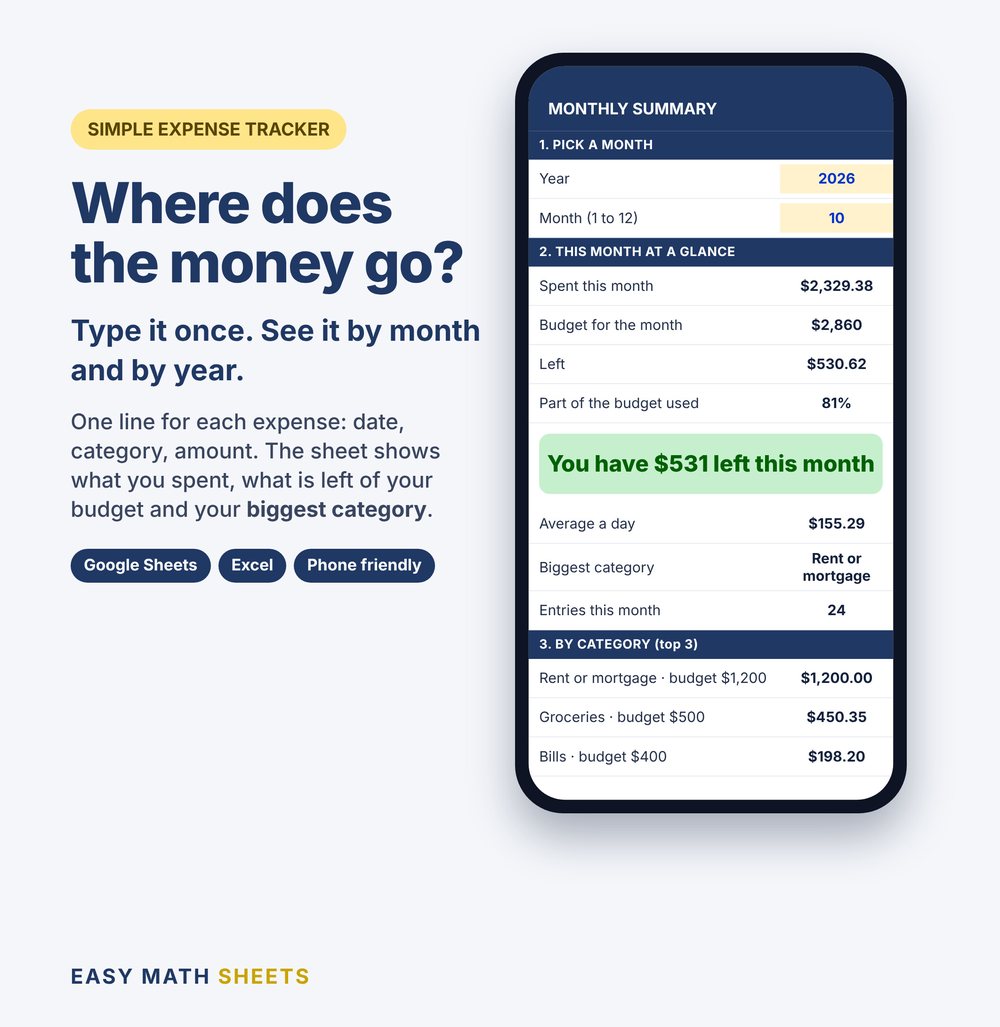
One line for each expense: date, category, amount. See what you spent, what is left of your budget and all 12 months side by side.
Pay on Etsy. Download right after you pay.
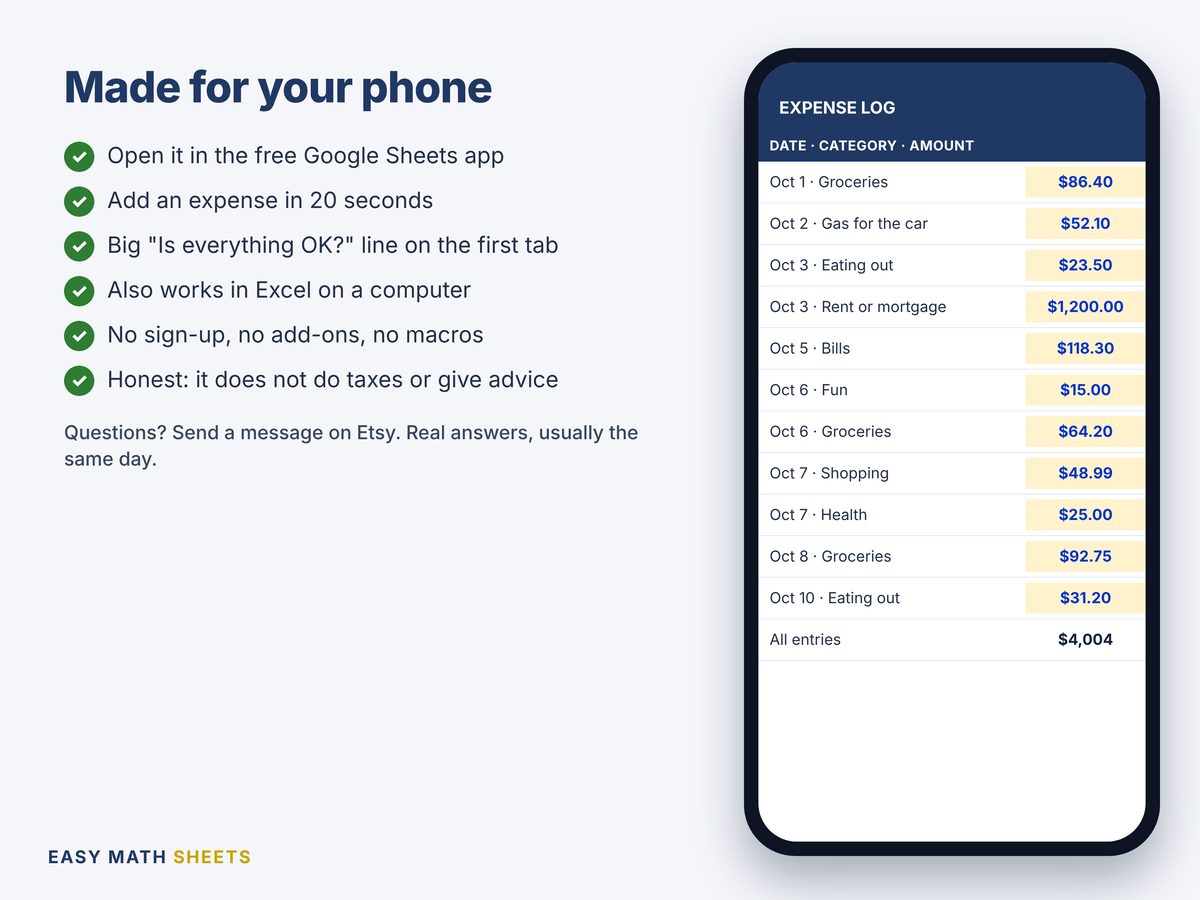
- Works on your phone with the free Google Sheets app
- Also Microsoft Excel 2010 or newer
- Something not working? Tell us and we fix it
How it works
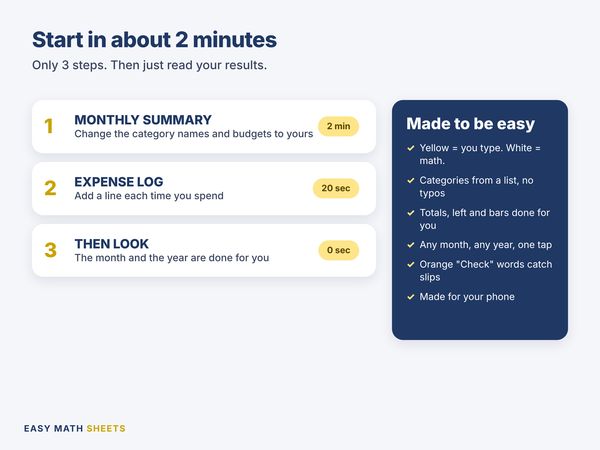
- 1
MONTHLY SUMMARY
Change the category names and the budgets to yours.
2 minutes
- 2
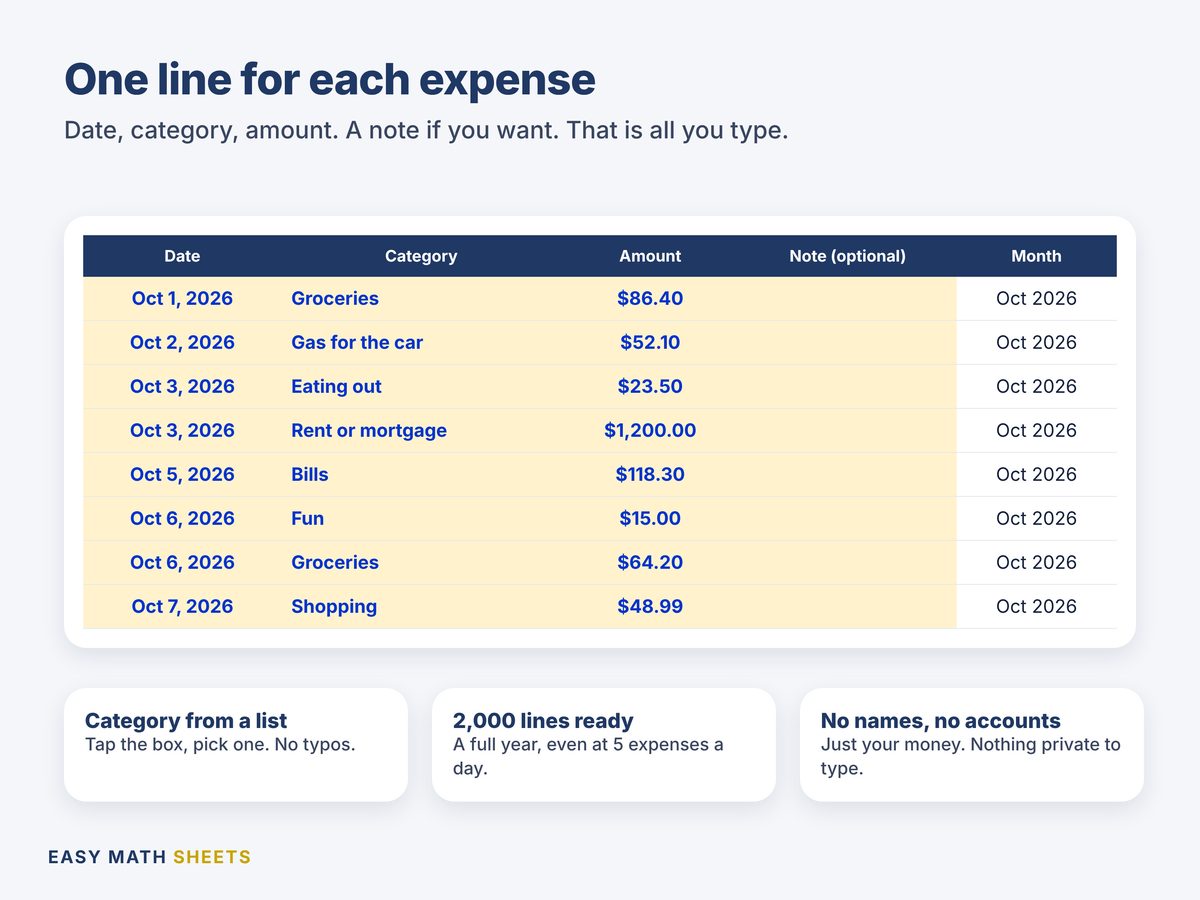
EXPENSE LOG
Add one line each time you spend. Pick the category from a list.
20 seconds
- 3
THEN LOOK
The month and the year are done for you.
0 seconds
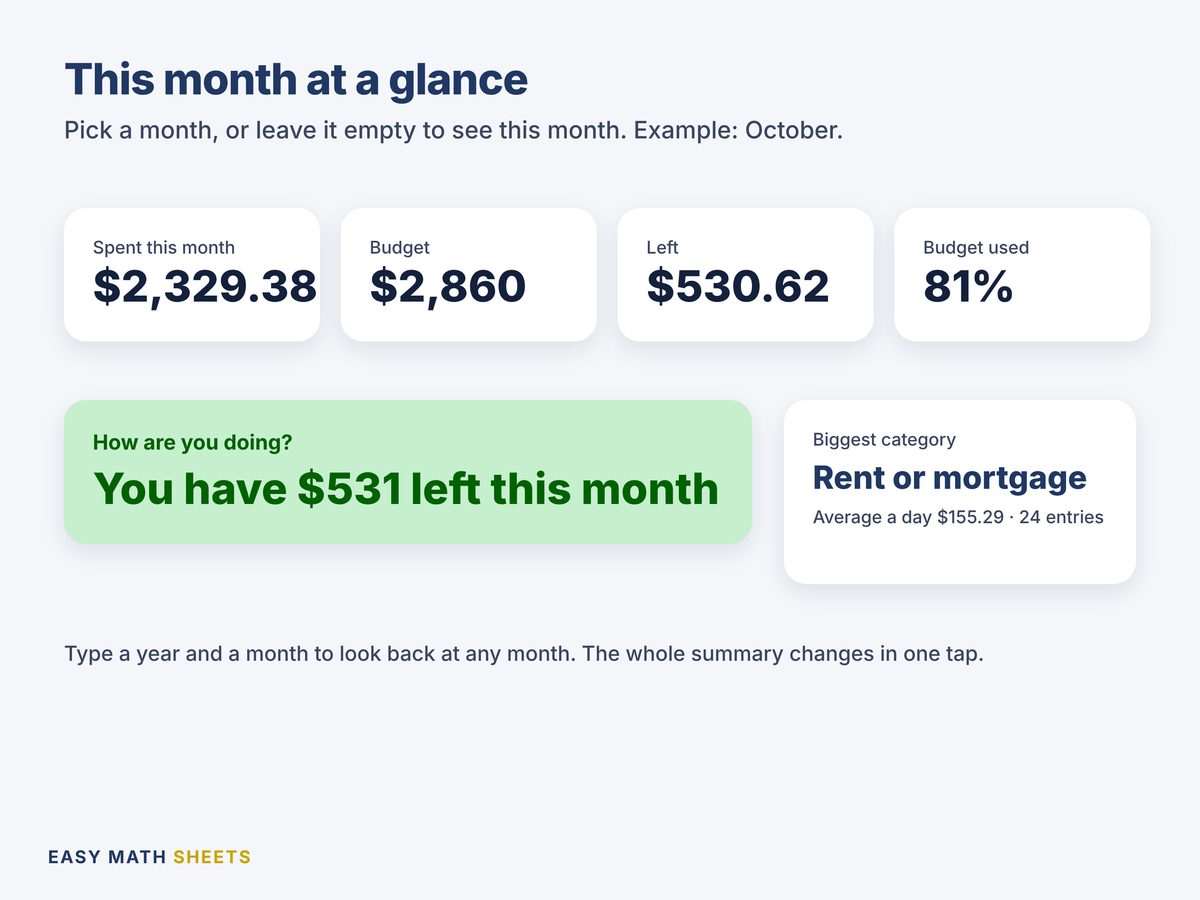
Leave the year and month empty to see this month. Type any other month to look back.
See it

What's inside: 4 tabs
- START HERE
- 3 steps to begin, the color code and a check for each tab.
- EXPENSE LOG
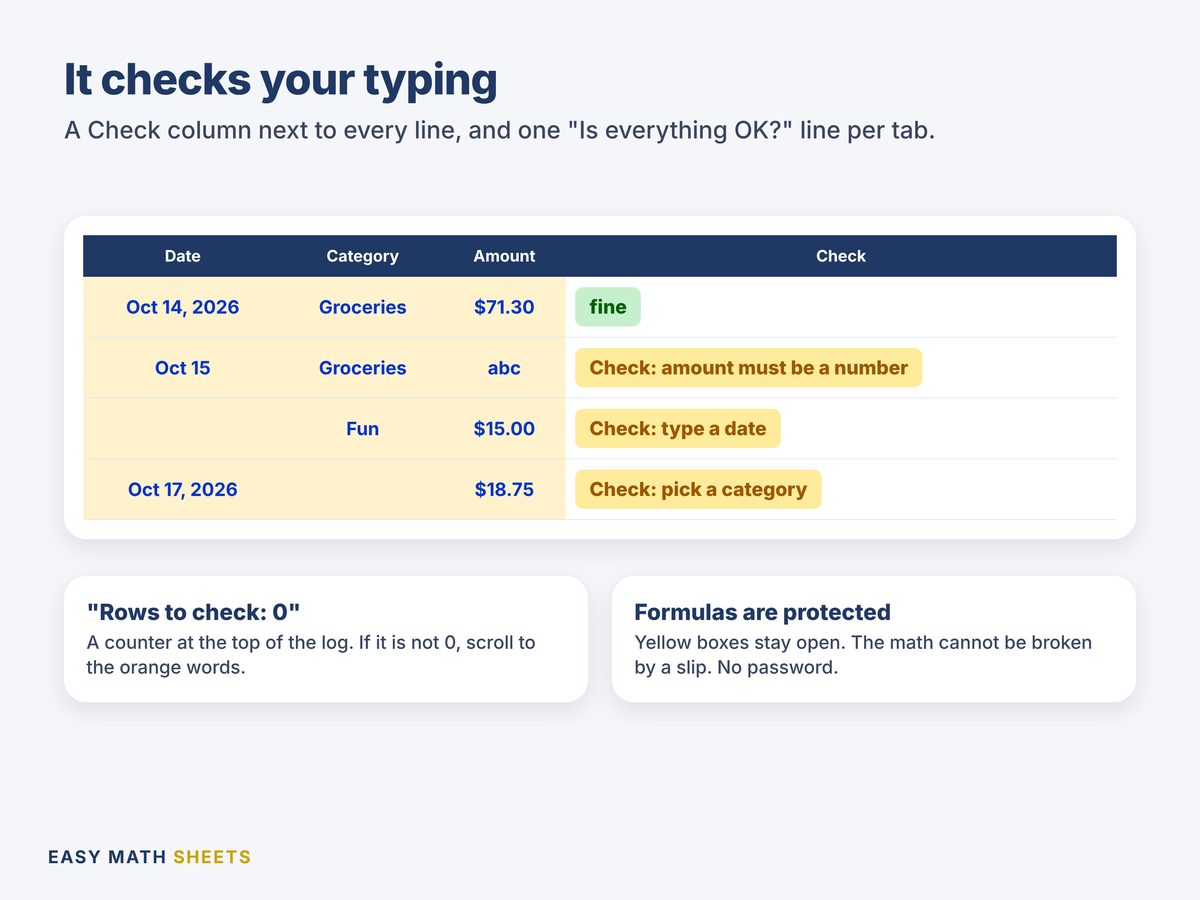
- 2,000 lines ready. Date, category from a list, amount and a note. A Check column next to every line.
- MONTHLY SUMMARY
- Spent, budget, what is left, average a day, biggest category, a bar for each of 15 categories and a chart.
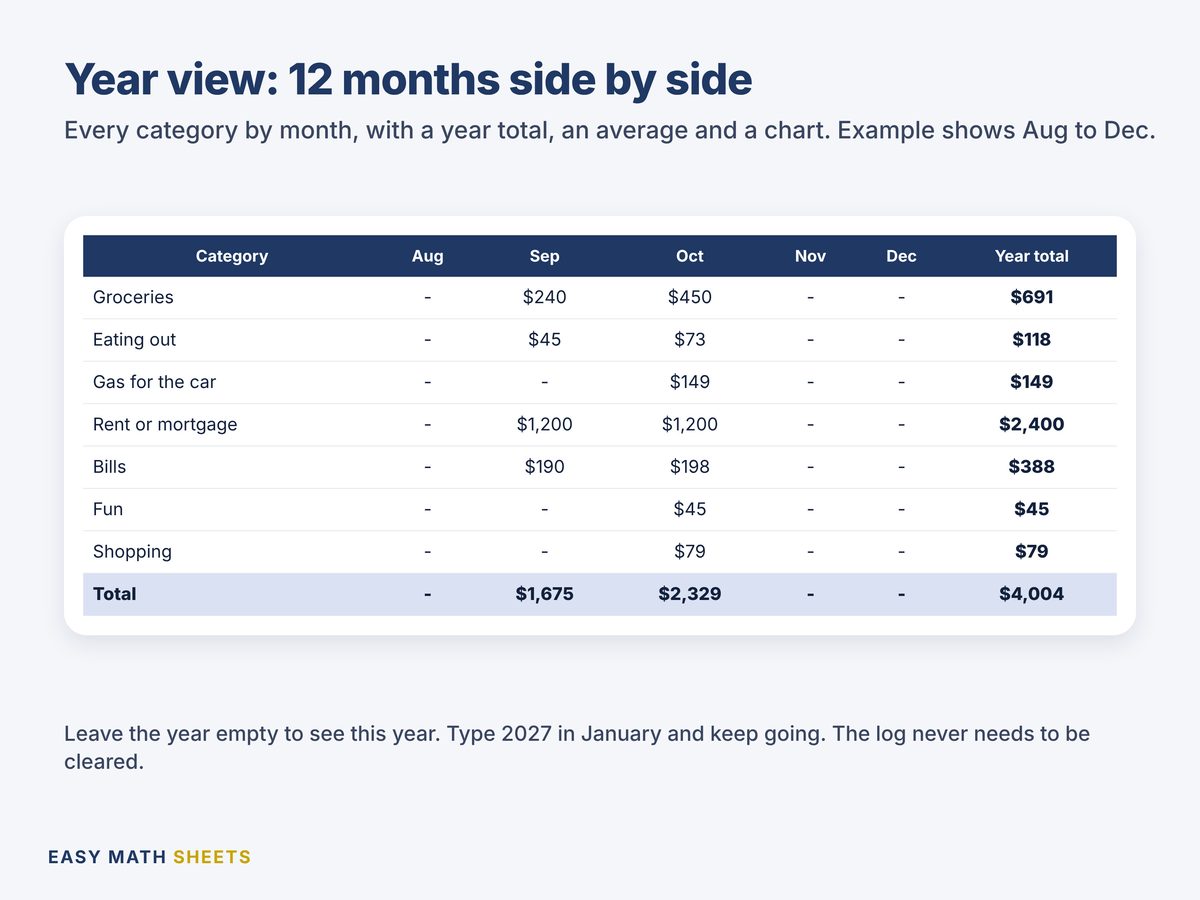
- YEAR VIEW
- 12 months by category, year totals, average a month, budget and what is left, with a chart.
Made to be easy
- Only 4 tabs. You type only in the yellow boxes.
- Categories come from a list. No typos.
- Pick any month or year, or leave it empty to see this month.
- A "Rows to check" counter at the top of the log.
- Works on your phone with the free Google Sheets app.
What it counts
- Up to 15 categories, with your own names and budgets
- 2,000 expense lines: a full year, even at 5 a day
- What is left of each budget, with a bar
- Your biggest category and your average a day
- Money logged with no category, so nothing hides
- All 12 months side by side
What you get
- Expense_Tracker.xlsxYour tracker, empty and ready, with example categories and budgets
- Expense_Tracker_Example.xlsxThe same sheet with a month of sample entries, to look at and learn
- Quick Start Guide (PDF)2 pages in plain English, with a button to make your own copy in Google Sheets
Works on
- Google Sheets (free), on your phone or computer. The guide has a button to make your own copy.
- Microsoft Excel 2010 or newer.
- No macros. No add-ons. No account with us.
What it does not do
- No taxes. On purpose. It only does your own numbers.
- No names and no account numbers. You only type your money.
Ready to see where the money goes?
$1.98. One time. Download right after you pay. Open the guide, make your copy, change the categories. Two minutes.
Questions people ask
How do I get the files?
This is a digital download. Nothing is shipped. After you pay on Etsy, download the files from your Etsy account (Purchases). Open the PDF guide first.
Does it work on my phone?
Yes. Use the free Google Sheets app. The guide has a button to make your own copy. It also works in Microsoft Excel 2010 or newer.
Can I use my own categories?
Yes. Change the names in MONTHLY SUMMARY. The list in the log follows. Up to 15.
What happens next year?
Keep going in the same log. Type the year in YEAR VIEW to see it. There are 2,000 lines, a full year even at 5 expenses a day.
Does it do my taxes?
No, on purpose. It only does your own numbers. It is not tax, legal or financial advice.
Something is not working. What do I do?
Send us a message on Etsy. We answer and fix it. If we can't, we review your case for a refund.
Good to know
- The categories and budgets are examples. Change them to yours.
- This is a planning tool. It is not tax, legal or financial advice.
- Single-user license: for you and your home. Please do not resell or share the files.
- We design every spreadsheet. We use AI tools to help write and test some formulas and text. Every formula is tested before sale.